
Recover, review, clean

A sharper way back to lost files.

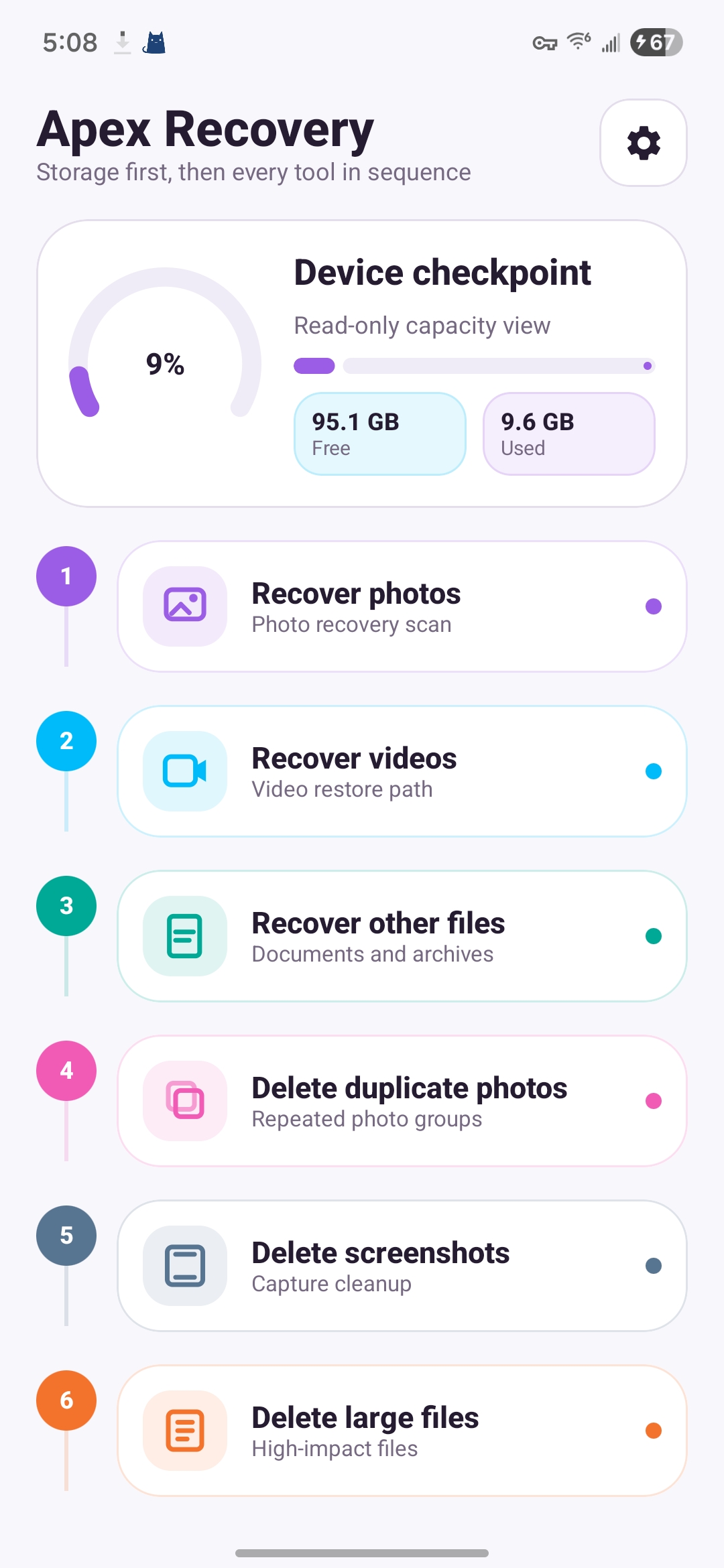
Apex Recovery brings photos, videos, files, screenshots, duplicates, and large-file review into one focused workspace on your device.
Recovery tools that stay easy to inspect.

The app starts with a storage checkpoint, then lets you move through recovery and cleanup tasks in a clear sequence.

1 Recover photos

Review found images in a clean grid with selection counters before you choose what to restore.

2 Recover videos and files

Scan video, document, archive, and file paths from focused workspaces designed for quick decisions.

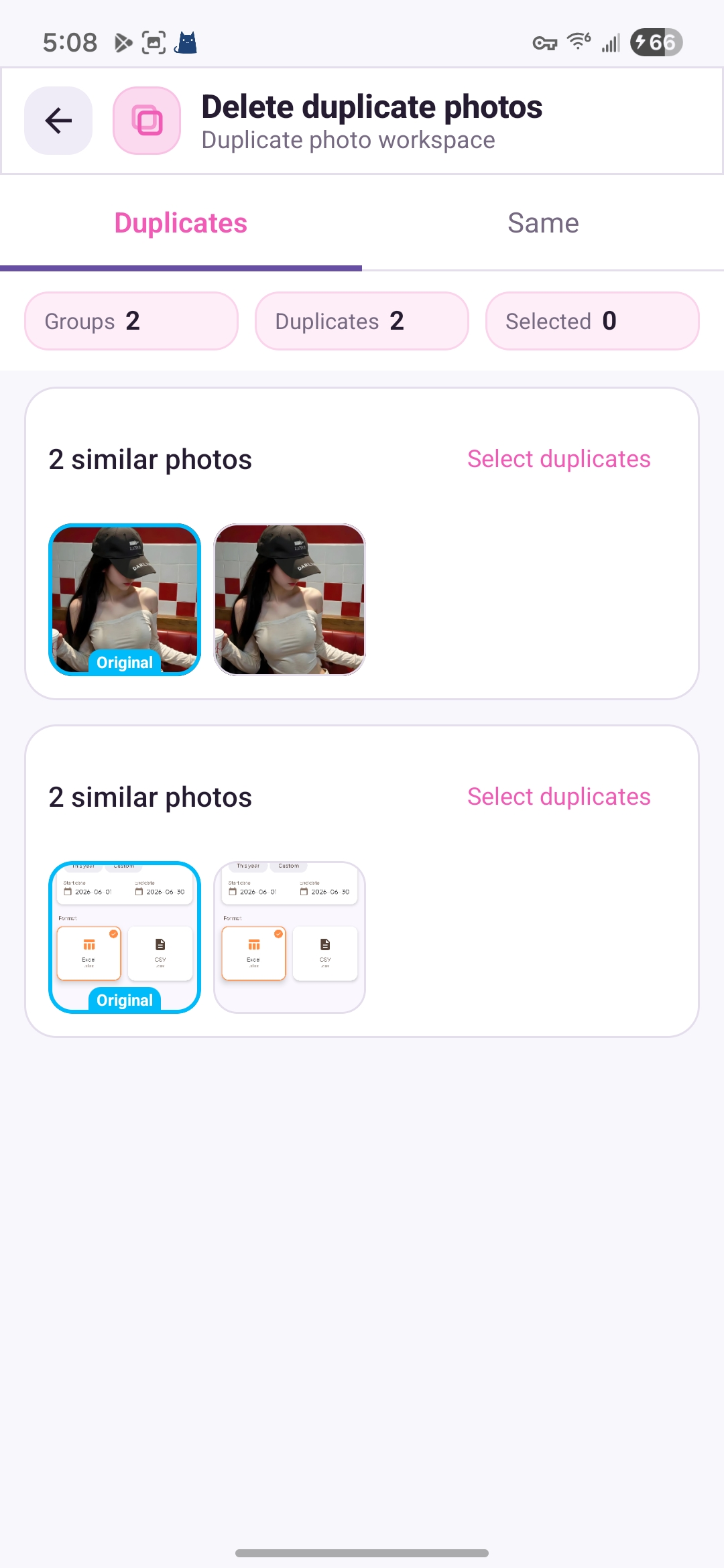
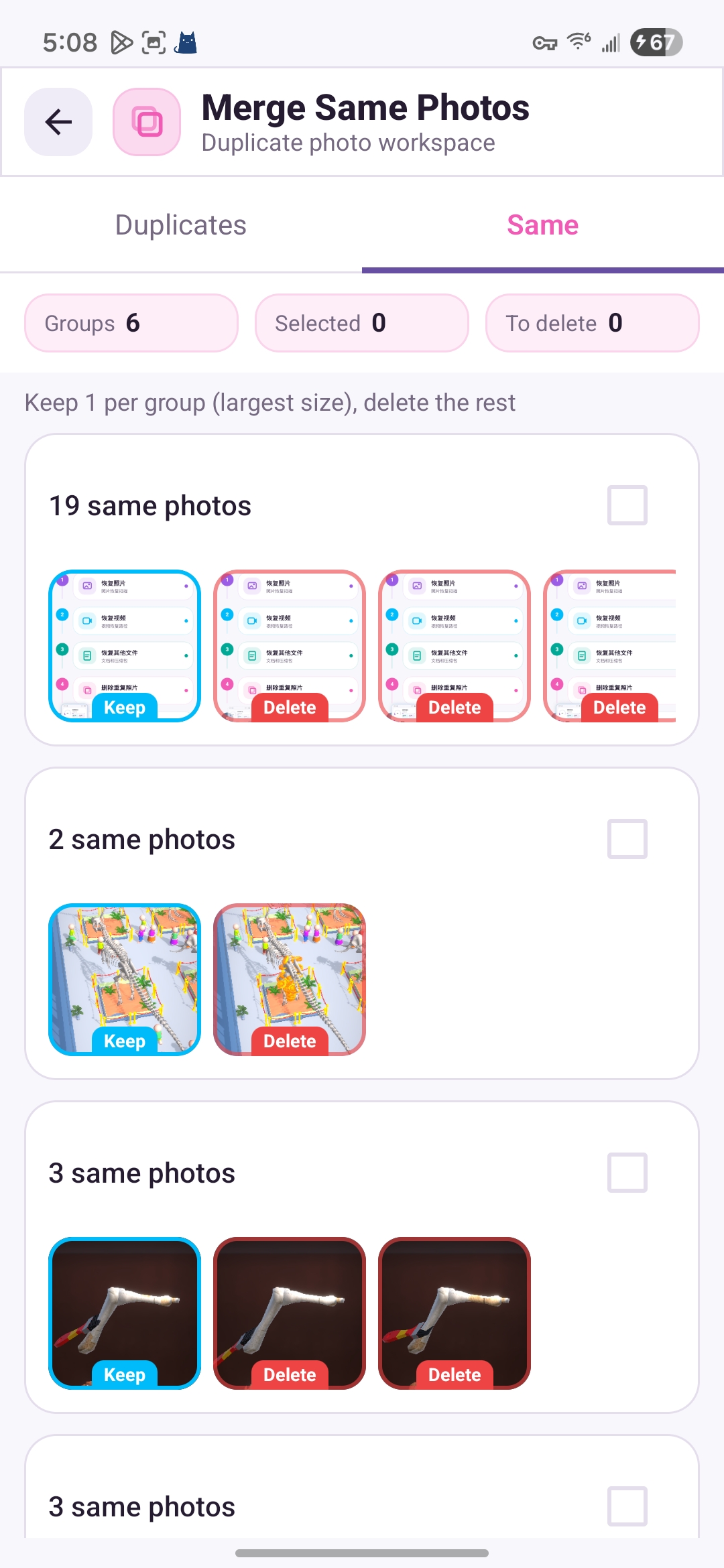
3 Clean duplicate media

Compare similar and same-photo groups, keep the original, and remove the copies you no longer need.

Made from the actual app flow.

The store visuals and website use real Apex Recovery screens, so the public page matches what users see after install.

Scan locally with storage access granted by the user.
Review discovered files, thumbnails, groups, and selected counts.
Recover or clean only after the user chooses the items.
Apex Recovery dashboard screenshot Apex Recovery same photos screenshot Apex Recovery duplicate cleanup screenshot

Clear before every action.

Apex Recovery is built around user review: visible categories, readable counters, and action screens that keep recovery and cleanup separated.

PhotosRecover image files from a thumbnail-first workspace.
VideosCheck video recovery results without mixing them into photo tasks.
FilesReview documents, archives, and large files with file-focused filters.
DuplicatesCompare groups before selecting what should be removed.

Private by design, review first by default.

Media and file scanning happens on your device. Apex Recovery does not sell your personal information, and recovery or delete actions remain user controlled.

Privacy policy